


How to get rid of stuck/dead pixels on a Canon DSLR camera?
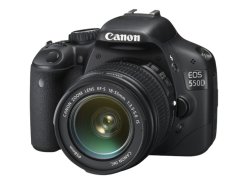 After I bought my new Canon EOS 40D and took some blue hour and night photos I found out that i have a bright white pixel near the center of the image. I found out that the
RAW converter fixes this problem but JPG files are still an issue.
This pixel is a stuck pixel, or sometimes it called dead pixel. Usually stuck pixel is bright, while dead pixel is black.
Of course I was not happy because i thought this means I have to send my brand new camera back for a replacement or repair. So I started to google this problem and deep in a forum I found something, something interesting: It seems Canon cameras has a self repair function that can be activated through the menu. All we have to do is to charge up the batteries and go to the menu and initiate a “Manual Sensor Cleaning” then wait about a half minute then turn off the camera.
I made several tests and was not able to see the stuck pixel again on JPG images after this process so IT WORKS!
UPDATE: It seems this method works on some Nikon models too.
After I posted this solution to my blog I get several responses so this method works on
- Canon EOS 100D
- Canon EOS 400D / Digital Rebel XTi
- Canon EOS 450D
- Canon EOS 500D
- Canon EOS 550D / EOS Rebel T2i
- Canon EOS 600D
- Canon EOS 700D / T5i
- Canon EOS 40D
- Canon EOS 50D
- Canon EOS 60D
- Canon EOS 70D
- Canon EOS 80D
- Canon EOS 7D, 7D Mark II
- Canon EOS 5D, 5D Mark II, 5D Mark III
- Canon EOS 5DS R
- Canon EOS 6D
- Canon EOS-M
If you have luck with this on other camera models leave a comment and I'll update this post.
jordans for sale style